




Description
x
Asus ROG Strix GeForce RTX 3060 Ti V2 OC Edition 8GB GDDR6 with LHR Gaming Graphics Card |
 |
 |
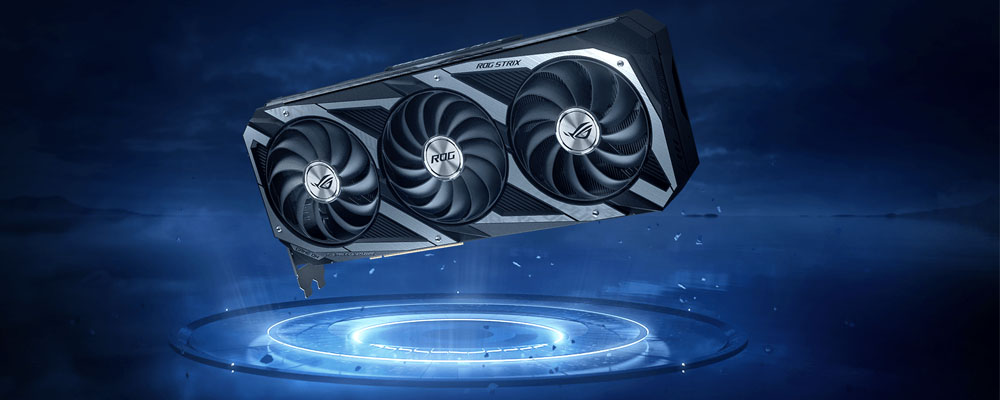
Take FlightFrom Top To Bottom, The Rog Strix Geforce Rtx™ 3060 Ti Has Been Radically Improved To Accommodate The Impressive New Nvidia Ampere Architecture And To Deliver The Next Wave Of Gaming Performance Innovation To The Market. A Fresh Design And More Metal Surrounds A Grouping Of Axial-Tech Fans. Last Gen’s Uniform Fan Layout Has Been Usurped By A New Rotation Scheme And Specialized Roles For Central And Auxiliary Fans. Below The Blades, A Larger, More Impressive Heatsink Is Ready For The Most Demanding Thermal Loads. |
 |
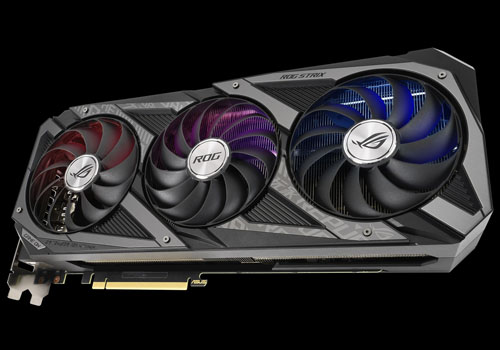
Axial-Tech UpgradesOur Axial-Tech Fan Design Has Been Optimized For A New, Larger Heatsink That Features More Fins And Surface Area Than Last Gen. The Blade Count Has Been Increased On All Three Fans, With 13 On The Center Fan And 11 On The Auxiliary Fans. The Barrier Ring On The Side Fans Has Been Slimmed Down To Allow For More Lateral Intake And To Provide Better Airflow Through The Cooling Array. The Center Fan’s Extra Blades And Full-Height Ring Provide Boosted Static Pressure To Blast Air Directly Onto The Gpu Heat Spreader. |
 |
New DirectionsTo Bolster The Specialized Roles Of The Center And Auxiliary Fans, The Rotational Direction Of The Center Fan Is Reversed. This Reduces Air Turbulence Inside The Cooling Array For Another Boost To Overall Thermal Performance. The Fans Also Shut Off Completely When Card Power Consumption Is Low And The Gpu Temperature Falls Beneath 48 Celsius, Keeping Noise Levels Down When The System Is Under A Light Load. |
 |
MaxcontactTo Get Heat Up Off The Die And Into The Heatsink Array To Benefit From The New Fan Design Requires Special Attention. We Use A Manufacturing Process That Polishes The Surface Of The Heat Spreader To Improve Smoothness At The Microscopic Level. The Extra Flatness Allows For Better Contact With The Die For Improved Thermal Transfer. |
 |
2.9-Slot DesignThe Heat Spreader Draws Heat Up Into Heatpipes That Carry It Through A Fin Stack That Fills A Large 2.9-Slot Footprint. Increasing The Heatsink Size Compared To The Last Generation Provides More Thermal Headroom To Account For The New High-Performance Chipset. |
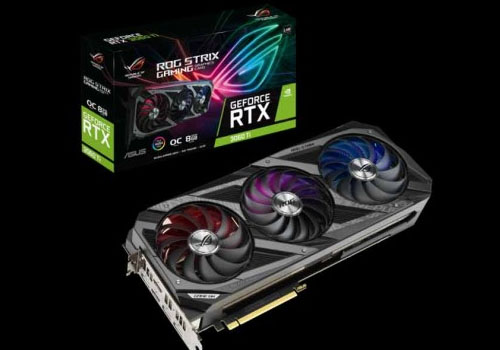 |
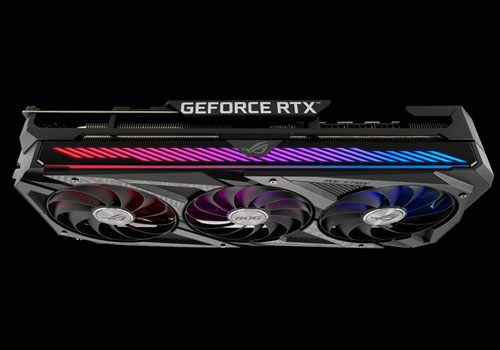
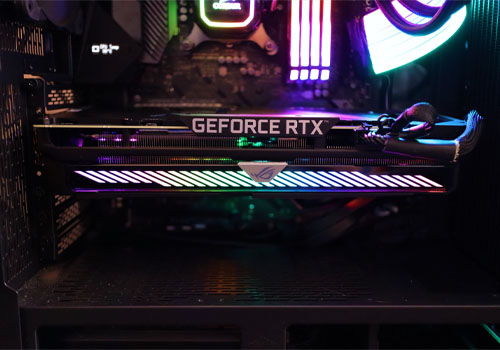
Fresh ShroudIn Addition To Under-The-Hood Design Changes, The Rog Strix Features A New Face With Metal Accents That Mirror The Design Aesthetic Of Rog And Rog Strix Motherboards. Mixing Surface Textures And Materials Make A Statement When Vertically Mounted And Lit By Chassis Leds. For Those Who Prefer A Sleeker, More Subtle Look, The Greyscale Colorway Allows It To Seamlessly Blend Into The Build. |
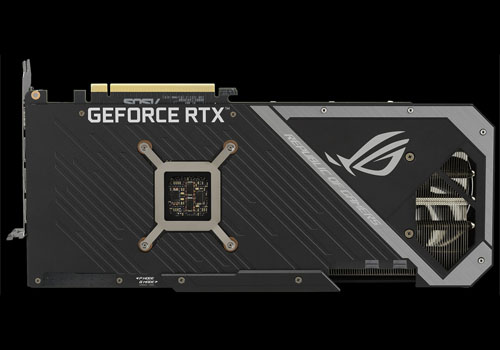 |
It’s Cooler Out BackFlipping The Card Around Reveals More Design Improvements. A Wide Backplate Vent And Shortened Pcb Allows Hot Air To Escape Towards Chassis Exhaust Fans Instead Of Being Recycled By The Gpu’s Circulating Cooler Design. A Gpu Bracket Provides Extra Stability To The Critical Connection Between Die And Heat Spreader. The I/O Bracket Is Made From Stainless Steel To Protect Ports And Provide A More Secure Mount. A Conveniently Placed Dual Bios Switch Allows Quick Selection Between “Performance” And “Quiet” Mode For Basic Customization Of The Card’s Default Behavior Without Software. |
 |
Gpu Tweak IIThe Asus Gpu Tweak Ii Utility Takes Graphics Card Tuning To The Next Level. It Allows You To Tweak Critical Parameters Including Gpu Core Clocks, Memory Frequency, And Voltage Settings, With The Option To Monitor Everything In Real-Time Through A Customizable On-Screen Display. Advanced Fan Control Is Also Included Along With Many More Features To Help You Get The Most Out Of Your Graphics Card. |
Specification |
||||||||||||||||||||||||||||
|
||||||||||||||||||||||||||||
Shipping & Return
xRefund and Exchange Policy
At Be3ah, we offer a full refund within 14 days and an exchange within 30 days of purchase.
Conditions
• Item is unused and in original condition
• Packaging, labels, and contents are intact
• Original receipt is required
Sale Items
Sale and promotional items can be refunded or exchanged within 14 days of purchase.
Digital Products
iTunes, Google Play, PlayStation, Xbox, Steam, and Netflix cards cannot be refunded. If your card is defective, contact us and we will find a solution.
Refunds are processed to your original payment method. Cash refunds are not available.
Contact us:
Phone: +96522622683
Email: info@be3ah.com